FastScreen for iPhone

Your Mac,
on your iPhone.

FastScreen logs in to macOS Screen Sharing with your Mac account, then lets you tap, type and scroll as if you were sitting in front of it.

Coming soon to the App Store

One purchase of $4.99, with no subscription.

FastScreen connects straight to your computer. You don't need an account, and no server sits in between.

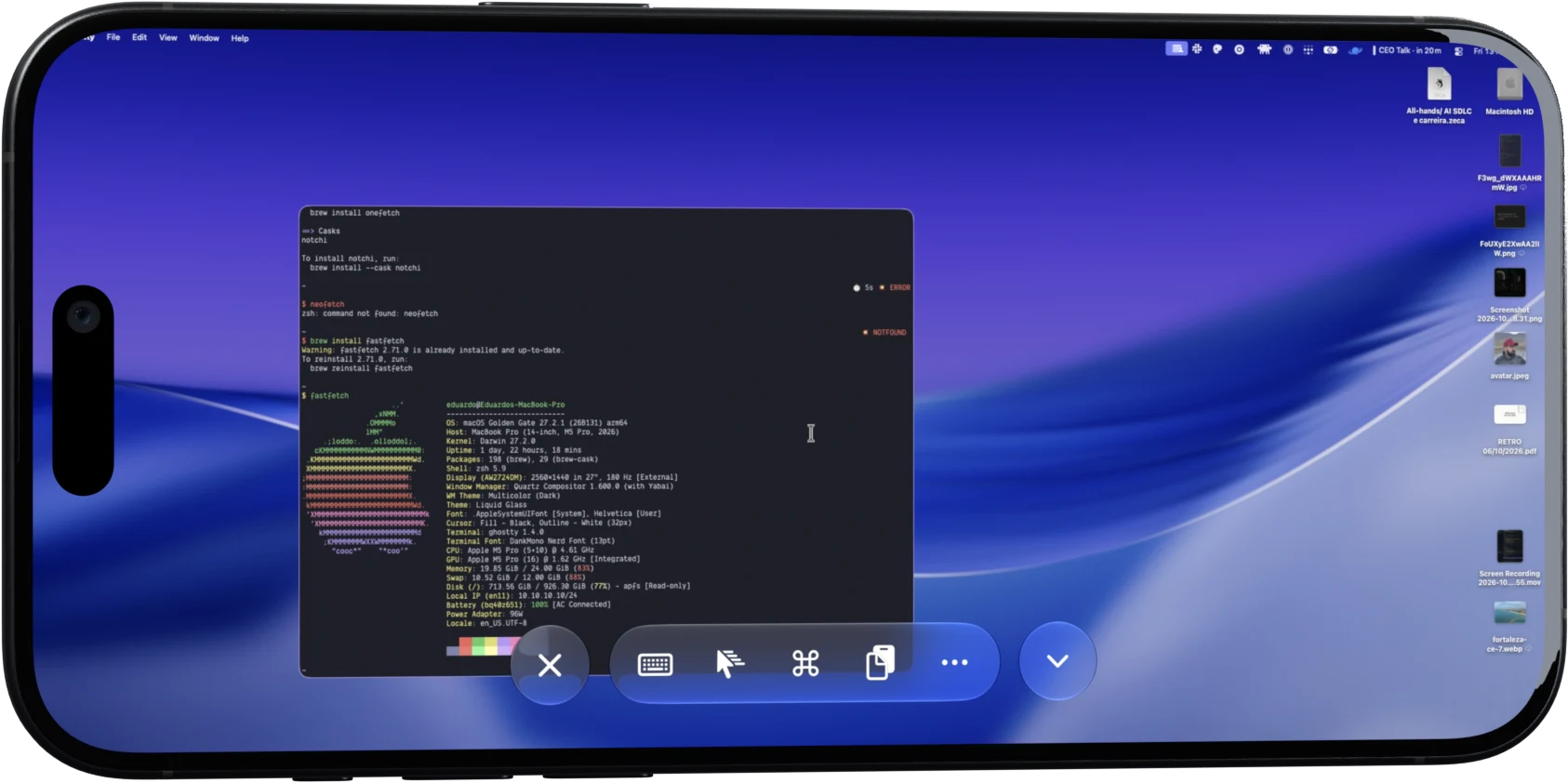
A Mac desktop open in FastScreen in landscape, with the toolbar at the bottom
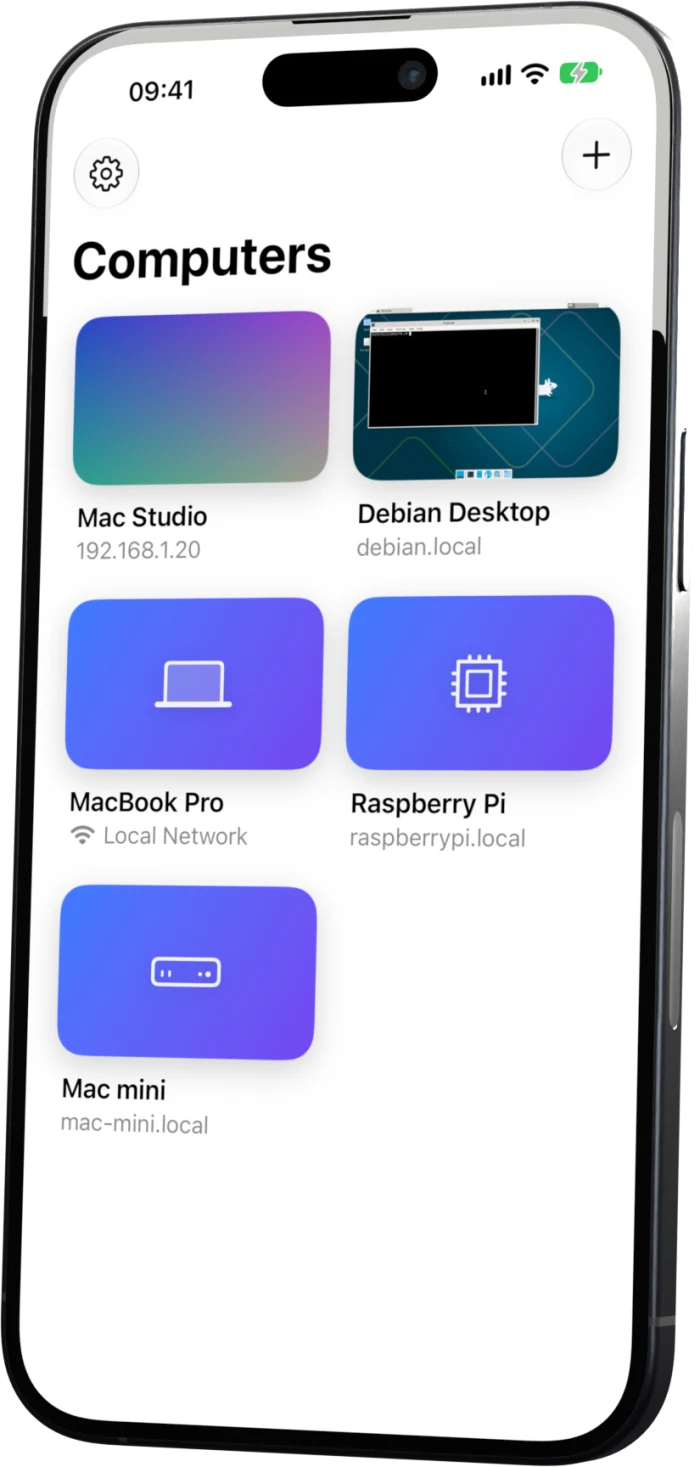
FastScreen on an iPhone, showing saved computers with a screenshot of each one

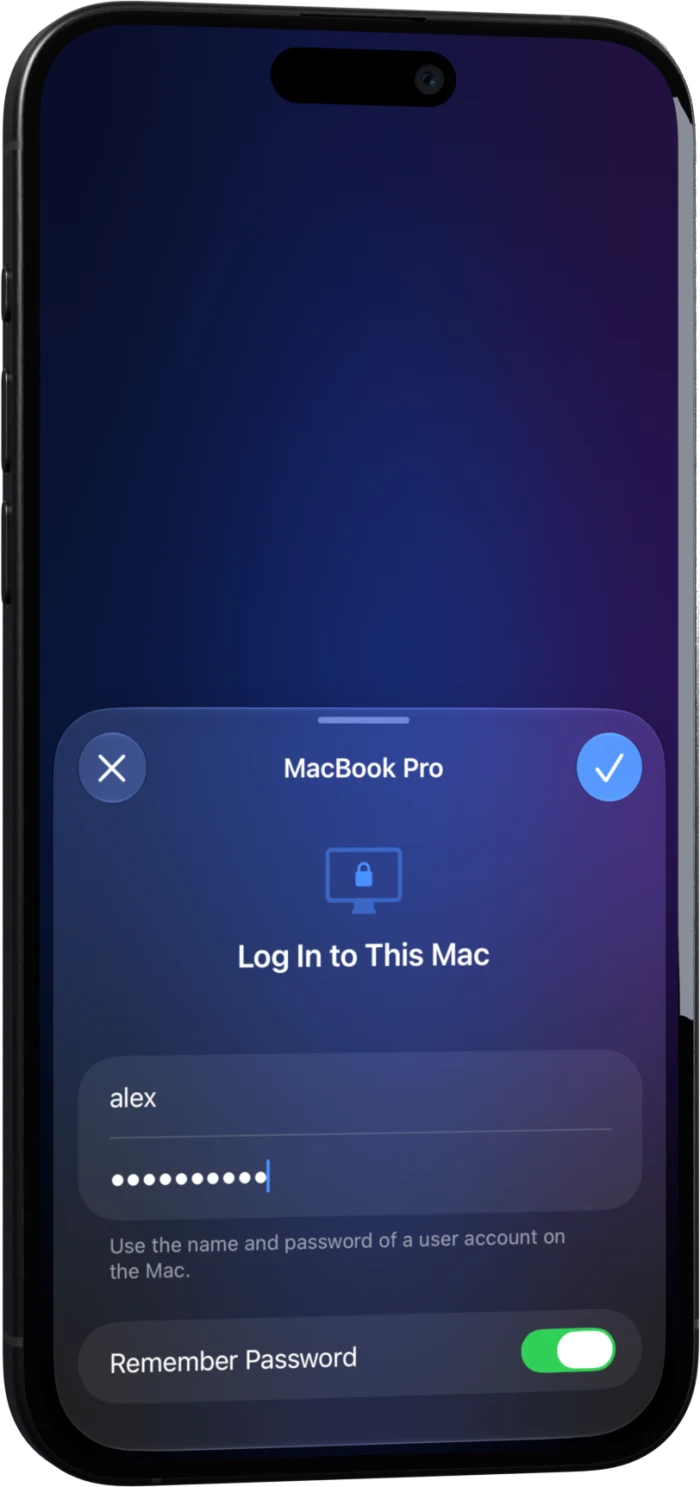
Most VNC apps ask for a password your Mac never had. FastScreen signs in the way you already do, with your Mac user name and password.

The login sheet asking for the user name and password of a Mac account

It signs in like you do.

Screen Sharing on a Mac expects a user account, and most VNC apps can only send a VNC password. FastScreen speaks Apple Remote Desktop authentication, so your Mac user name and password are all it needs. Servers with a VNC password, or with none, work too.
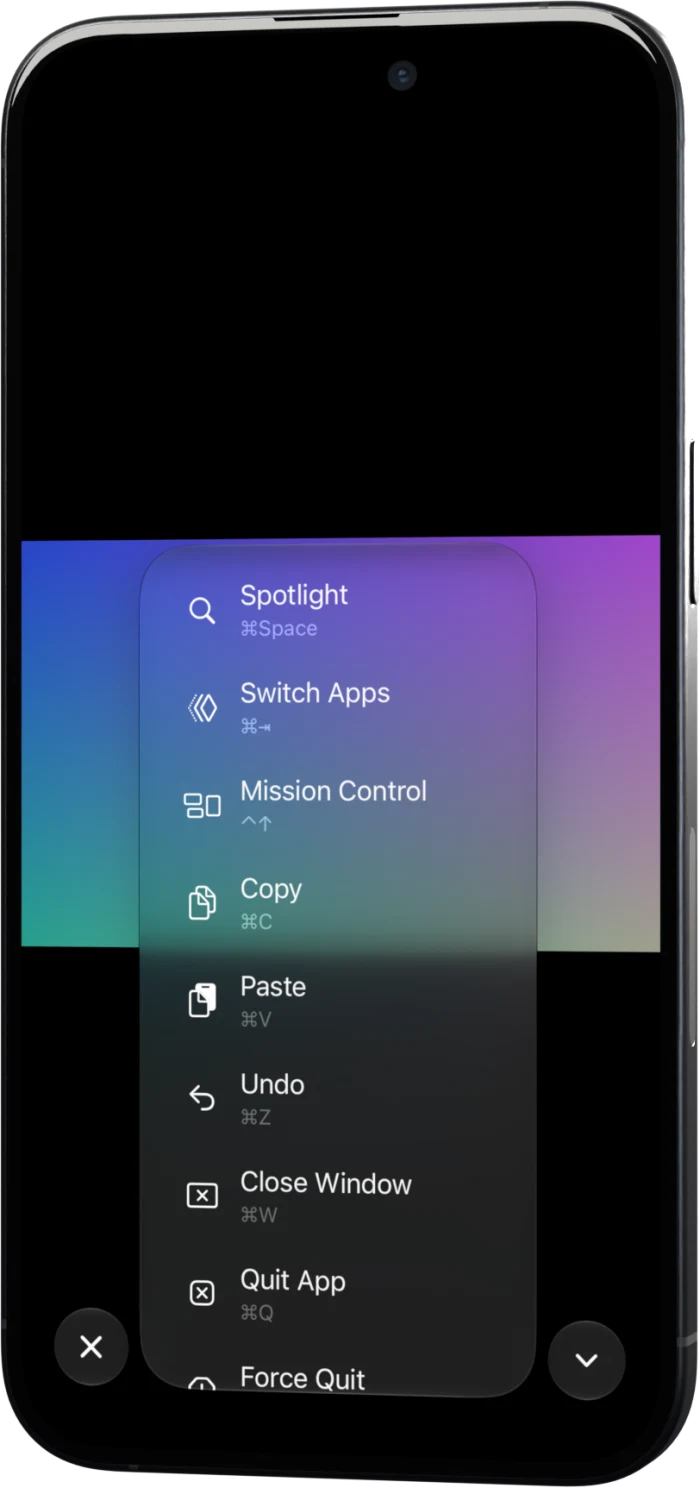
The Shortcuts menu listing Spotlight, Switch Apps, Mission Control and other Mac shortcuts

Every key a Mac expects.

A bar above the keyboard adds Command, Option, Control, Shift, Esc, Tab, the arrows and F1 to F12. The Shortcuts menu opens Spotlight, Mission Control and the app switcher with one tap.

Tap it, or use the screen as a trackpad.

In touch mode a tap clicks right where your finger lands. Trackpad mode moves a pointer the way a laptop trackpad does, and it speeds up when your finger does. Pinch to zoom in on small text and drag two fingers to scroll.

Touch mode

Tap
Clicks where you tap
Tap twice
Double click
Tap with two fingers
Right click
Hold, then drag
Drags
Drag
Pans the zoomed screen
Drag with two fingers
Scrolls
Pinch
Zooms

Trackpad mode

Tap
Clicks at the pointer
Tap twice
Double click
Tap with two fingers
Right click
Hold, then drag
Drags
Drag
Moves the pointer
Drag with two fingers
Scrolls
Pinch
Zooms

Passwords stay on your iPhone.

They live in the Keychain on this device and never sync to iCloud.

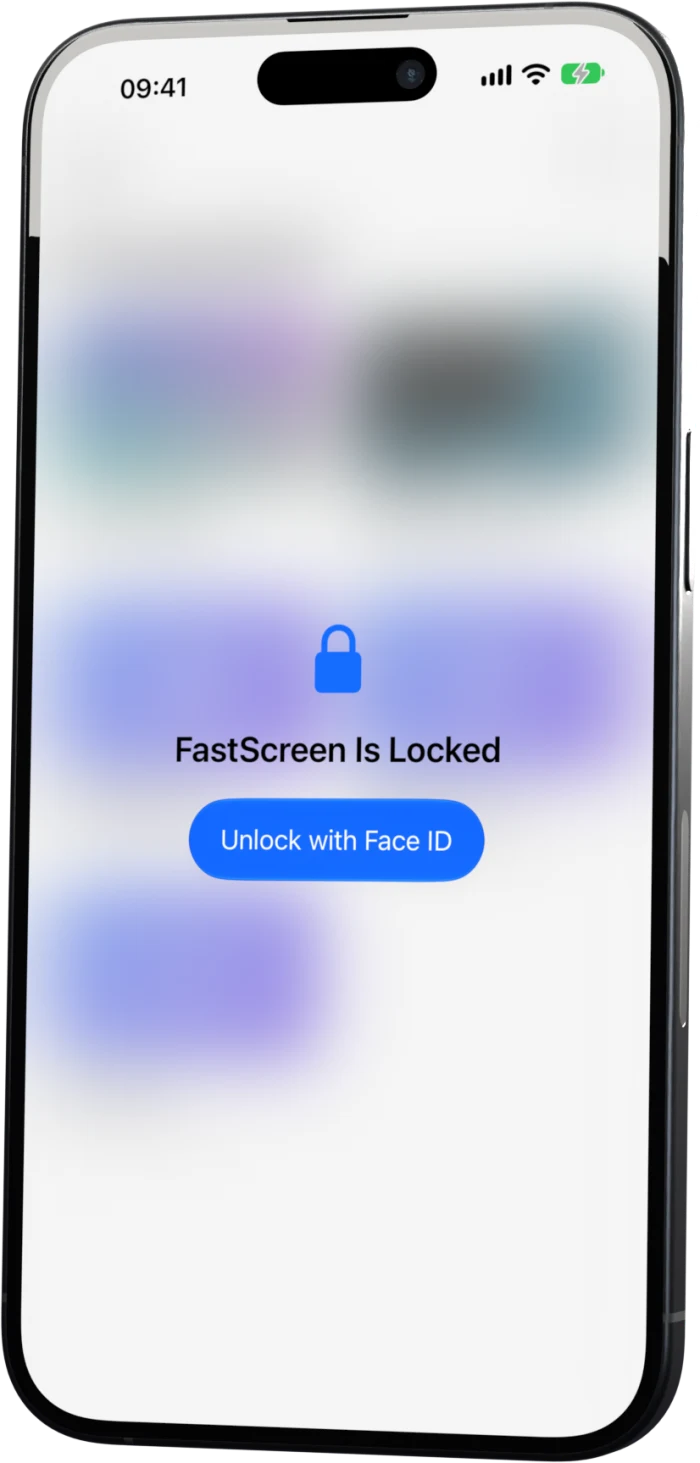
Locks with Face ID. Face ID can lock the app every time you leave it.

FastScreen locked, with a button to unlock it with Face ID

Finds your computers

Macs with Screen Sharing on show up under On This Network. You only type an address if you want to.

Paste from your iPhone

Paste types whatever is on your iPhone clipboard into the remote computer.

Hardware keyboards

Connect a keyboard, and Command and Option reach the Mac as Command and Option.

Quality you choose

Automatic balances sharpness and speed, Best is lossless, and Data Saver cuts colors down for slow connections.

View Only

View Only blocks every tap and key when all you want is to watch.

Quick Connect

Type an address, or pick a computer on your network, and connect once without saving it.

Three steps to your desktop.

  1. Turn on Screen Sharing

    On your Mac, open System Settings, go to General, then Sharing, and switch on Screen Sharing.

  2. Open FastScreen

    Your Mac appears under On This Network. You can also tap the plus button and type its address.

  3. Log in

    Use the user name and password of an account on that Mac.

Tech specs

Price
$4.99, paid once
Requires
iPhone with iOS 26 or later
Works with
macOS Screen Sharing, TigerVNC, x11vnc
Sign in
Mac user account, VNC password, or no password
Protocol
RFB 3.3, 3.7 and 3.8
Encodings
Tight, ZRLE, Zlib, Hextile, CoRRE, RRE, CopyRect, Raw
Discovery
Bonjour
Rendering
Metal, updating only the parts of the screen that changed
Languages
English, Brazilian Portuguese

Questions

Yes. Turn on Screen Sharing in System Settings and log in with a user account from that Mac.

No. FastScreen uses the Screen Sharing that ships with macOS.

Only through a VPN that puts your iPhone on the same network as the Mac. FastScreen has no relay server, so it connects straight to your computer's address.

It works with standard VNC servers. TigerVNC and x11vnc are the ones tested so far.

In the Keychain on your iPhone. They never sync to iCloud, and FastScreen saves a password only after the computer accepts it.

Paste types the text on your iPhone clipboard into the remote computer. Screen Sharing on a Mac ignores the VNC clipboard, so text copied on the Mac doesn't come back. Servers that share their clipboard, such as TigerVNC, send it to the iPhone.

Not yet. FastScreen is built for iPhone.

Yes. Command and Option reach the Mac as Command and Option. iOS keeps Command Space for itself, so open Spotlight on the Mac from the Shortcuts menu.

No. There are no accounts and no analytics, and the app only talks to the computers you add.

$4.99 in the United States, paid once. There's no subscription and nothing else to buy in the app. Prices in other countries follow the App Store.

It isn't there yet, and there's no date.

FastScreen is on its way to the App Store.

It will cost $4.99, paid once. There's nothing to install on your Mac and no account to create.

Coming soon to the App Store